Jump to content
View in the app

A better way to browse. Learn more.

DecodeHub - Reverse Engineering, Crackmes, Software & Coding

A full-screen app on your home screen with push notifications, badges and more.

To install this app on iOS and iPadOS
  1. Tap the Share icon in Safari
  2. Scroll the menu and tap Add to Home Screen.
  3. Tap Add in the top-right corner.
To install this app on Android
  1. Tap the 3-dot menu (⋮) in the top-right corner of the browser.
  2. Tap Add to Home screen or Install app.
  3. Confirm by tapping Install.

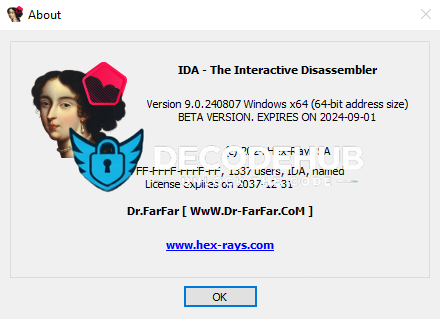
[CRACKED] IDA-PRO FULL v9.0.24.0807 VIP

(8 reviews)

1 Screenshot

[TR]

Nasıl Kullanılır ?

İndirdiğiniz RAR'ı masaüstünde bir klasöre çıkartın, IDA Professional v9.0.24.0807.exe 'yi yönetici olarak açın.

Kurulumu yaptıktan sonra C:\Program Files\IDA Professional 9.0 Klasörüne gelin ve indirdiğiniz herşeyi buraya atın.

[EN]

How to Use ?

Extract the downloaded RAR file to a folder on your desktop, then run IDA Professional v9.0.24.0807.exe as an adminisrator.

After completing the installation, go to C:\Program Files\IDA Professional 9.0 and copy everything you downloaded into this folder.

What's New in Version 1.0.0

Released

No changelog available for this version.

User Feedback

You may only provide a review once you have downloaded the file.


WTF

   1 of 1 member found this review helpful 1 / 1 member

goodgood

   1 of 1 member found this review helpful 1 / 1 member

Başarılı


   1 of 1 member found this review helpful 1 / 1 member

10/10


   2 of 2 members found this review helpful 2 / 2 members

i need this on my desk now xD

   3 of 3 members found this review helpful 3 / 3 members

nice

Important Information

Terms of Use

Configure browser push notifications

Chrome (Android)
  1. Tap the lock icon next to the address bar.
  2. Tap Permissions → Notifications.
  3. Adjust your preference.
Chrome (Desktop)
  1. Click the padlock icon in the address bar.
  2. Select Site settings.
  3. Find Notifications and adjust your preference.