Jump to content
View in the app

A better way to browse. Learn more.

DecodeHub - Reverse Engineering, Crackmes, Software & Coding

A full-screen app on your home screen with push notifications, badges and more.

To install this app on iOS and iPadOS
  1. Tap the Share icon in Safari
  2. Scroll the menu and tap Add to Home Screen.
  3. Tap Add in the top-right corner.
To install this app on Android
  1. Tap the 3-dot menu (â‹®) in the top-right corner of the browser.
  2. Tap Add to Home screen or Install app.
  3. Confirm by tapping Install.

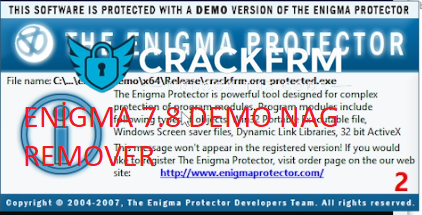
Enigma Protector 7.80 Demo Nag Remover x64 - Remove Enigma 7.80 Demo screen

(1 review)

1 Screenshot

Hello friends, when you package your application in the 7.80 demo version of Enigma Protector, as you know, you encounter the demo nag and we save you from this annoying situation. Just put the file we gave you in the folder where Enigma is installed and the demo screen will be gone.


User Feedback

You may only provide a review once you have downloaded the file.


Good job bro 

Important Information

Terms of Use

Configure browser push notifications

Chrome (Android)
  1. Tap the lock icon next to the address bar.
  2. Tap Permissions → Notifications.
  3. Adjust your preference.
Chrome (Desktop)
  1. Click the padlock icon in the address bar.
  2. Select Site settings.
  3. Find Notifications and adjust your preference.