.png.6853eaf0f6da03aa3fe5b1c6bd5167a4.png)

cambaz
Founder
-
Joined
-
Last visited
Everything posted by cambaz
-
 Gece PM den göndereceğim
 -
-
Yöntem değişti bu çalışmaz artık, yeni yöntem için discord dan iletişime geçin
-
discord girişinde problem yaşayan kullanıcılar için crack tekrar güncellendi
-
Leş hileye para istersek ayıp olur :)
-
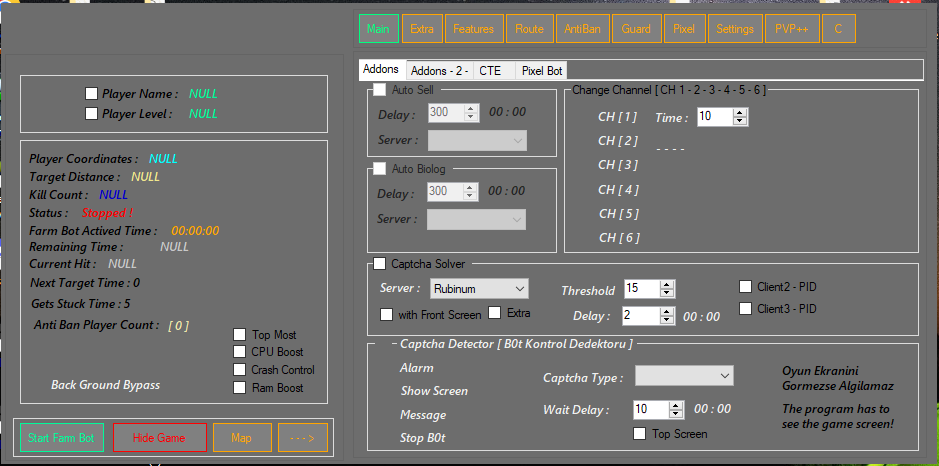
-Zaman harcamaya değecek bir program değil istek geldi diye baktık full member üyeler indirebilir key falan yoktur. -Gelen hata mesajlarına devam diyerek programı kullanmaya devam edin yaptığı şifrelemeden attirubute çağrılarından dolayı kaynaklanır önemi yoktur. -Programı kullanmadan önce aşağıdaki program bilgisayarınızda kurulu olsun. Visual C++ Redistributable Runtimes All-in-One AIO RUNTIMES Hile ek dosyası aşağıdadır. DOWNLOAD.txt
-
R4ndom’s Beginning Reverse Engineering Tutorials Tutorial #1 - What is reverse engineering? Tutorial #2 - Introducing OllyDBG Tutorial #3 - Using OllyDBG, Part 1 Tutorial #4 - Using OllyDBG, Part 2 Tutorial #5 - Our First (Sort Of) Crack Tutorial #6 - Our First (True) Crack Tutorial #7 - More Crackmes Tutorial #8 - Frame Of Reference Tutorial #9 - No Strings Attached Tutorial #10 - The Levels of Patching Tutorial #11 - Breaking In Our Noob Skills Tutorial #12 - A Tougher NOOBy Example Tutorial #13 - Cracking a Real Program Tutorial #14 - How to remove nag screens Tutorial #15 - Using the Call Stack. Tutorial #16A - Dealing with Windows Messages. Tutorial #16B - Self Modifying Code. Tutorial #16C - Bruteforcing. Tutorial #17 - Working with Delphi Binaries. Tutorial #18 - Time Trials and Hardware Breakpoints. Tutorial #19 - Creating patchers. Tutorial #20A - Dealing with Visual Basic Binaries, Part 1. Tutorial #20B - Dealing with Visual Basic Binaries, Part 2. Tutorial #21 - Anti-Debugging Techniques. Tutorial #22 - Code Caves and PE Sections. Tutorial #23 - TLS Callbacks.Modifying Binaries For Fun And Profit Adding a Splash Screen - Creating a code cave to show a custom splash on an application Adding a Menu Item - Adding a menu item to an existing binary. Making a Window Non-Closeable - Making a Window Non-Closeable. The Never Ending Program - Opening message boxes every time a user tries to close a program. DLL Injection 1 - Adding an opening message box through DLL injection. DLL Injection 2 - Adding a splash bitmap through DLL injection.R4ndom’s Guide to RadASM Installing and setting up - Installing RadASM and configuring the environment. Creating our first project - Creating our first project. Adding an Icon and Menu - Adding an Icon and Menu.Miscellaneous The Reverse Engineer’s Toolkit - Tools every reverse engineer should know about. Shrinking C++ Binaries - Shrinking binaries through Visual Studio.Other Tutorials Author Tutorial XOR06 Cracking DriverFinder nwokiller Unpacking PELock v1.06 XOR06 Bypassing a keyfile XOR06 Bypassing a Serial and server Check XOR06 Bypassing a Serial in a Delphi Binary XOR06 Finding a serial using bitmaps. XOR06 Easy unpacking. XOR06 Where and How to pacth a serial routine. XOR06 Patching a server check, 30 day time trial, and a nag. XOR06 Serialfishing a correct serial. XOR06 Another way of finding the patch. XOR06 Why it’s so important to search for pointers. XOR06 .NET Crackme with tutorial XOR06 .NET Crackme (no tutorial)DOWNLOAD TUTOR.txt
-
-
link updated
-
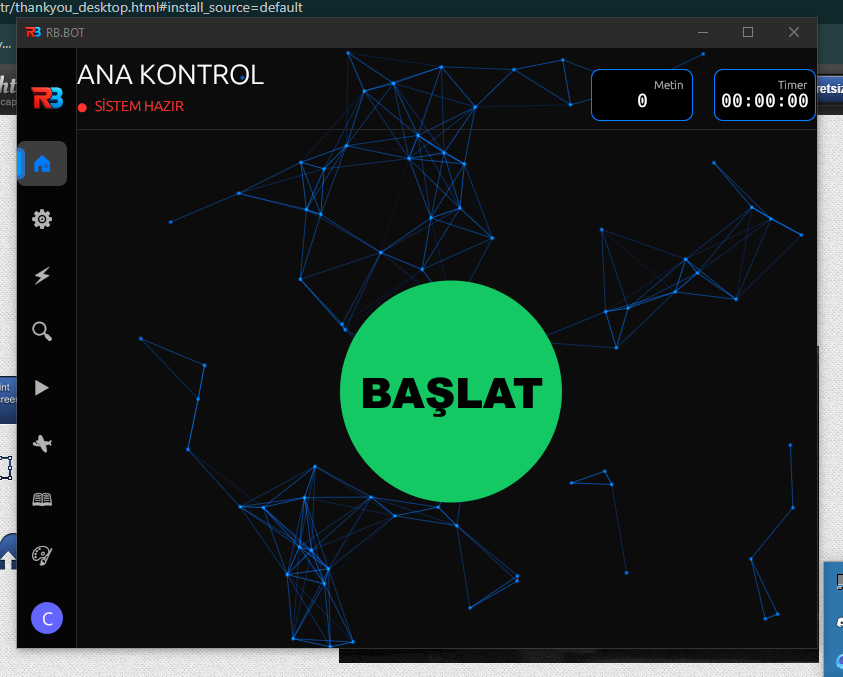
DESTEĞİ İÇİN @GökoNullDreiNull TEŞEKKÜRLER Merhaba arkadaşlar metin2 rbbot pixel bot crack sürümü ile karşınızdayız crack'in çabuk fix yememesi adına botu herkese açık olarak paylaşmayacağım bota ulaşmanız için gerekenler aşağıda yazıyor -Vip üyeyseniz erişebilirsiniz. -Vip üyeliğiniz yok ve bota erişmek istiyorsanız 1000 tl ödeyerek bu bota sınırsız erişim sağlayabilirsiniz. -Programı aşağıdan herkes indirebilir ancak size anahtar kodu soracaktır yukarıdaki şartları sağlayan kullanıcılar programın size vereceği id numarasını bana iletirse sınırsız keyi onlara göndereceğim. İletişim; -Forumdan @cambaz adlı yöneticiye özel mesaj yada discord -Kullanım; -rb.exe yi açın discord giriş botununa tıklayın sizi discord url adresine yönlendirmek için yeni pencere açacak kapatın işiniz yok. -Tam bu esnada client üzerinde discord girişi bekleniyor yazar o sırada pompaa.exe yi açın. -Client sizi başarılı bir şekilde key ekranına yönlendirir, key kısmına bir şeyler sallayıp girin hepsi bu kadar. -rb.exe çalıştıkça pompaa.exe nin açık kalması iyi olur. -Uygulama üzerinden tekrar çıkış yapmadıkça discord ekranı tekrar gelmez ancak keyin başarılı olması için pompaa.exe yi çalıştırmanız gerekir. -pompaa.exe den çıkış yapmadan önce lütfen console ekranında enter tuşuna basın ve temizliğin yapılmasını bekleyin. -İyi oyunlar. DOWNLOAD.txt
-
Yes
-
Çok eski çalışacağını zannetmiyorum bunun
-
link updated
-
-
son sürüm için güncellendi aşağıdan indirin rubipatcherv1.2.txt
-
Uygulama başlatılamıyor hatası alıyorum
-
Arkadaşlar bu dosyanın güncel sürümüne ulaşabilen bana yollar ise güncellemeye çalışacağım bu kadar boktan bir hilenin bu fiyata satılması beni sinir ediyor
-
🔥 CrackFRM.org Is Expanding – Team Member Applications Open (Only 3 Slots)Hello everyone, As crackfrm.org continues to grow, the number of requests and ongoing work has increased significantly. Our current team is no longer sufficient to handle the workload efficiently. Therefore, we are looking to recruit ONLY 3 highly skilled members to join our team. Selected members will receive the Team Member rank, which includes full, unrestricted access to the forum, including the VIP section. ✅ Requirements18 years old or older (If you are under 18, you must not have any issues with receiving payments.) Intermediate to advanced knowledge of reverse engineering Ability to use or work with modern reverse engineering tools (If you lack certain tools, we can provide them.) Strong experience with: Fake authentication systems Debuggers IDA (IDA Pro) Most crack requests are focused on C++ and Python, so strong experience in cracking applications written in these languages is highly preferred Knowledge of Delphi and .NET is a big plus Must be able to participate regularly in team work and activities When a valuable request appears in the CrackMe section, you should be able to: Solve it Share it in the VIP section if deemed valuable Earn money based on purchase demand If you consistently deliver high-quality work, you will receive a share of sales revenue 📩 How to ApplyTo apply, contact me via Discord or private message and clearly explain your skills and experience. ⚠️ Low-effort or poorly written applications will be ignored. We are only interested in serious, capable individuals. Only 3 of the best candidates will be selected. Good luck — and show us what you’re capable of. 💪
-
açılmıyor exe
-
This allows you to install unsigned drivers without test mode or a mapper, for example, the Titanhide service. Overview EfiGuard is a UEFI boot-time patching tool developed by Mattiwatti. It disables Driver Signature Enforcement (DSE) and PatchGuard (Kernel Patch Protection) before Windows fully boots. Because EfiGuard runs at EFI level, it bypasses Windows kernel protections in a way that user-mode or kernel-mode methods cannot. This guide focuses on the USB boot method, which is the easiest and safest way to use EfiGuard. Why USB Method (Recommended) No permanent changes to system EFI No risk of breaking Windows boot Easy to enable and disable Just unplug USB to remove Perfect for testing and research If something goes wrong, simply remove the USB and reboot. How It Works (Simple Explanation) System boots from USB in UEFI mode EfiGuard EFI loader runs DSE and PatchGuard are patched in memory Windows Boot Manager is chainloaded Windows starts normally with protections disabled No Windows-side drivers No runtime patching Requirements UEFI-based system (Legacy BIOS not supported) Secure Boot must be disabled USB flash drive formatted as FAT32 Administrator privileges Basic UEFI knowledge recommended Required Files From the official repository: Loader.efi EfiGuardDxe.efi Easy USB Installation (Step by Step) Step 1: Format USB Format the USB drive as FAT32. Quick format is sufficient. FAT32 is required for UEFI boot. Step 2: Create Folder Structure Create the following folders on the USB drive: EFI EFI\Boot Step 3: Set Default UEFI Loader Copy Loader.efi Rename it to BOOTX64.EFI Place it in the following path: EFI\Boot\BOOTX64.EFI This makes the USB automatically bootable in UEFI mode. Step 4: Add EfiGuard Driver Copy EfiGuardDxe.efi Place it in the same folder: EFI\Boot\EfiGuardDxe.efi Final USB structure: USB: EFI Boot BOOTX64.EFI EfiGuardDxe.efi Booting with EfiGuard Reboot the system Open the boot menu (F8, F11, F12 or ESC depending on motherboard) Select UEFI USB EfiGuard will run automatically and then start Windows. How to Check If It Works After Windows boots, try loading an unsigned kernel driver. If it loads successfully, DSE is disabled and EfiGuard is working. Remove or Disable EfiGuard Power off the system Remove the USB drive Boot normally No cleanup required No system changes Warnings This is a low-level system security tool. Incorrect usage may cause boot issues. Use on test systems if possible. For research and educational purposes only. EfiGuard.zip
-
If you have an updated loader, please let me know.
-
-
Basit şeyler bunlar yapar
-
İyi satışlar
-