





Inx
Member
-
Joined
-
Last visited
-
No you are not telling the truth i saw you the attributes was 4.0.1.2 and after that you removed my messages and modified attributes to make it 4.0.1.7 and sorry that's what losers do xd you are funny
-
All you can do is removing my messages so people believe that this version is v4.0.1.7 but the funny fact is it's v4.0.1.2 keep sharing fake versions nigga
-
More lies ? ok keep going! in the crack there is agile i didn't even use agile! you are insane for real!
-
@cambaz if this version is v4.0.1.7 it must have this trial protection and this don't have it because it's v4.0.1.2
-
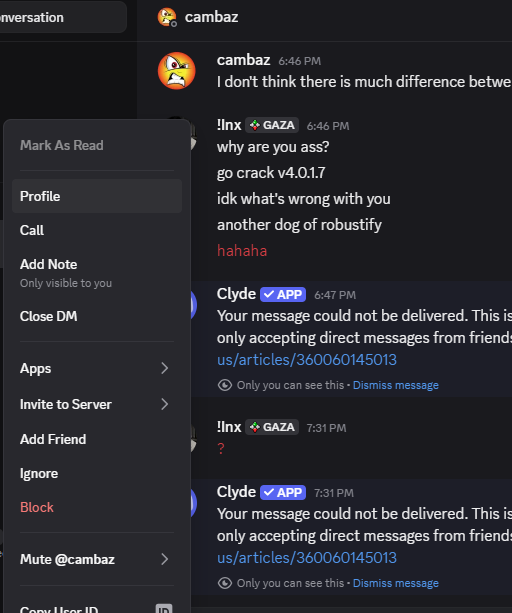
But i didn't ban you :d and about auth i'm working on my own one it will be public service like keyauth but on another level i just don't wanna waste my time to make my own auth i wait till i finish the public auth ;))
-
There's no difference between the versions? hmmm check changelogs in my server anyway keep going my boy
-
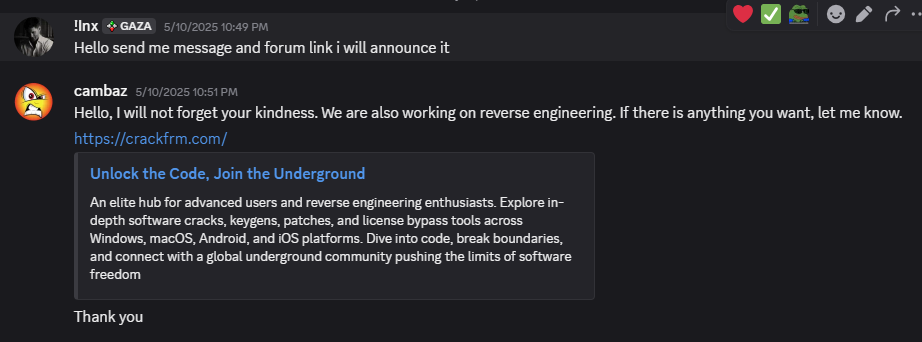
Auth is not our problem now! it's still v4.0.1.2 why you fake the version and modify attributes! lmao the worst community ever for real and the funny thing i remember when you asked me to advertise your forum in my server good luck in your life my friend just keep faking versions attributes gg
-
@B13Modify title to v4.0.1.2 it's not v4.0.1.7 Have a nice day
-
let's test it