RedEyes
VIP
-
Joined
-
Last visited
-
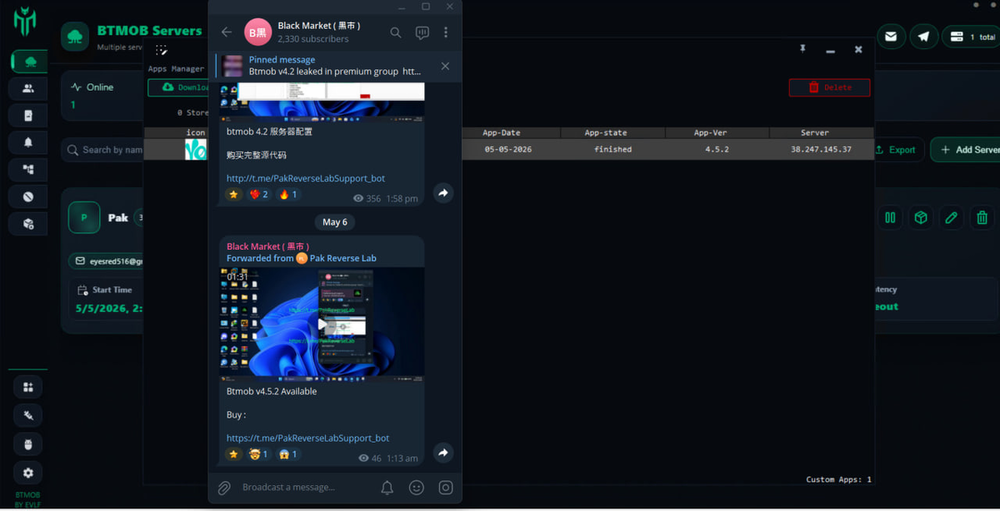
BTMOB UPDATE V4.5.2 PATCH UPDATE | STABLE What New ? • New option in Builder: Static Accessibility page. - Show the same Accessibility service request page on all phones. - You can add a step-by-step guide to enable Accessibility. - The page is fully customizable. • Touch blocking is now optional (can be toggled on/off from the live screen). • Fixed silent screen delay. • Fixed issues with mixed live screen and screen reader. • Bug fixes and improvements. Buy : t.me/PakReverseLabSupport_bot
-
-
I post btmob v3.6.1 free in telegram
-
BTMOB UPDATE V4.2 What new ? new tools in Apps manager: - Block an app with a specific message - Disable notifications - Add apps to Favorites: 1- Separate Online Keystrokes tag 2- Separate Offline Keystrokes records 3- Separate Notifications records 4- Get an alert when a favorite app is opened - Fixed dropper freeze/lag when clicking Update - Improved dropper to bypass restrictions - Updated Apktool to v3..0.1 - Updated DEX-Protector to last version. - Reduce app size to 5 MB, without XMRminer & without FFMPEG lib. - General bug fix's and improvements -------------- 👉 Buy BTMOB : Contact with me ( t.me/PakReverseLabSupport_bot )

-
Come on telegram @PakReverseLabSupport_bot 70$
-
Video Buy : @PakReverseLabSupport_bot BTMOB V4 | Release • Fully updated with an improved new UI. • Multiple Servers: Now you can connect and build apps on different servers simultaneously. - [IMPORTANT: If you click "Export" to save your server list, the output file contains all server information—do not share it with anyone.] - Clients can also connect to multiple servers, but: - You must use the same account email on all servers. - You need to add the server IPs in the APK Maker > Last page (Host List). - You can use the App Windows to view your apps from different servers. To build an app, go to "Servers" and click the box icon for the desired server. • New Tool - DDOS Attacker: Supports 7 types of attacks, both single and multiple clients. • New Feature - Live Screen/Screen Reader/Silent Mode: Automatically supports screen rotation. (Also blocks the screen if needed.) • New Tool - Remote SSH/TELNET Commands: Example use: Connect to a router (e.g., 192.168.1.1), change DNS settings, block IPs, redirect traffic, etc. • New Tool in File Manager: Download files directly from a URL. • New APK Installation Mode - Plugin Mode: Select a real app from the store to act as a dropper. • New Tool - Silent XMR Miner (XMR = Monero cryptocurrency mining) • New Tool in BTMOB: Quick APK installation via ADB with customizable options. • The app now sets itself as the default screen saver to stay alive. • Reduced APK CPU usage to minimize heat, but please note the battery will drain faster to keep the app running 24/7. • Fixed App Tracking + Added new mode: Tracking as Pin Grabber. - Select apps and any kind of PIN entered will be recorded. • New Tools - Call/SMS Blocker: - The app sets itself as the default SMS/Call app, completely hiding/blocking incoming and outgoing calls and SMS messages, with full control from the panel. • Some tools now auto-resume if the client disconnects/reconnects: - Files - Camera - Screen - Microphone - Keylogger • Improved keylogger display and control: - Select what actions to view. - Added search functionality. - Improved layout and view. • New in Builder: Customize Dropper - Name, icon, version, ID • New mode plugin instead of showing Google Play—now a dialog with title and message will be displayed. • Encrypt main apk in side dropper (assests) is now optional. • Builder - Protect APK Option: - Updated APKEditor to the latest version. - Added extra custom protection (this may help solve accessibility detection).
 RedEyes changed their profile photothanksthanksthank you